






![PeerTube [Custom Domain Addon]: illustration](https://store.elfhosted.com/wp-content/uploads/2026/10/peertube-custom-domain-addon-card-150x150.avif)
![Actual Budget [Custom Domain Addon]: illustration](https://store.elfhosted.com/wp-content/uploads/2026/10/actual-budget-custom-domain-addon-card-150x150.avif)
PlexyTrack
$9.00 / month
Free trial: 7 days
Sign-up fee: $1.00
PlexyTrack keeps your Plex watch history, ratings and watchlist in two-way sync with Trakt or Simkl, running around the clock on whatever interval you set.
Meet PlexyTrack
PlexyTrack, by developer Drakonis96, is an open-source sync tool that links your Plex server with Trakt or Simkl. It mirrors watch history, ratings, watchlists and collections, in both directions if you want, on a schedule you choose.
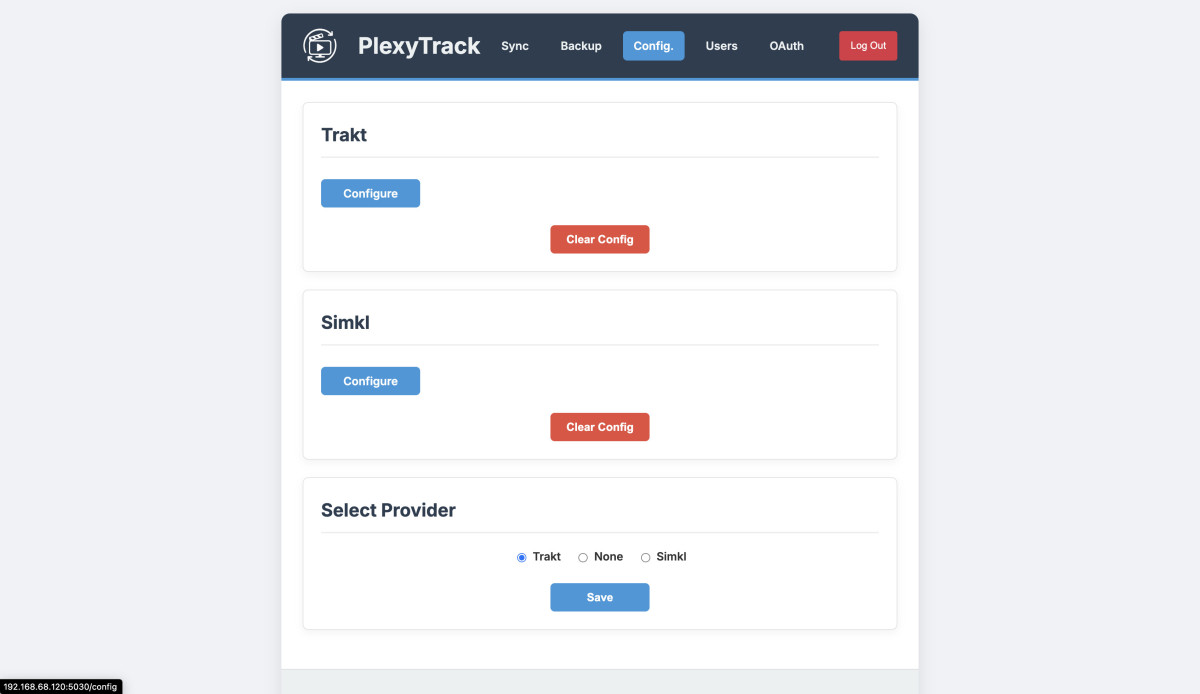
That means you keep Trakt’s or Simkl’s history and social features, and the Plex library you stream from, without marking things watched twice. A small web interface lets you switch features on or off, check the logs and take backups.
Why PlexyTrack Makes Life Easier
- ✅ Watch something in Plex and it’s logged on Trakt or Simkl, and vice versa.
- ⭐ Ratings and watchlists stay the same on both sides.
- 📚 Trakt lists you like turn into Plex collections, and Plex collections you build show up as Trakt lists.
- 🧳 Moving your watch history between Plex and Trakt is a sync, not a spreadsheet job.
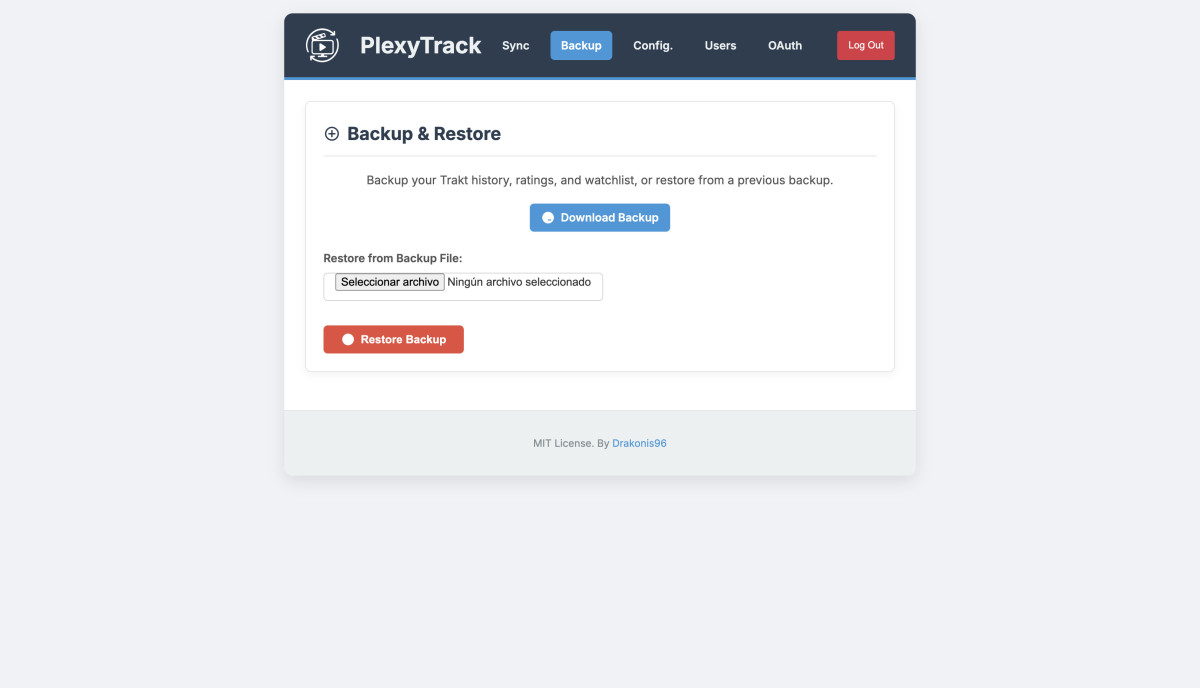
- 💾 One click downloads a backup of your Trakt history, watchlist and ratings.
Product Highlights
Two-way sync is the default, but you can also run it one way only, Plex to Trakt or Simkl, or the other way round.
List syncing is the neat bit: named Trakt lists are mirrored as Plex collections, and your own Plex collections come back as Trakt lists.
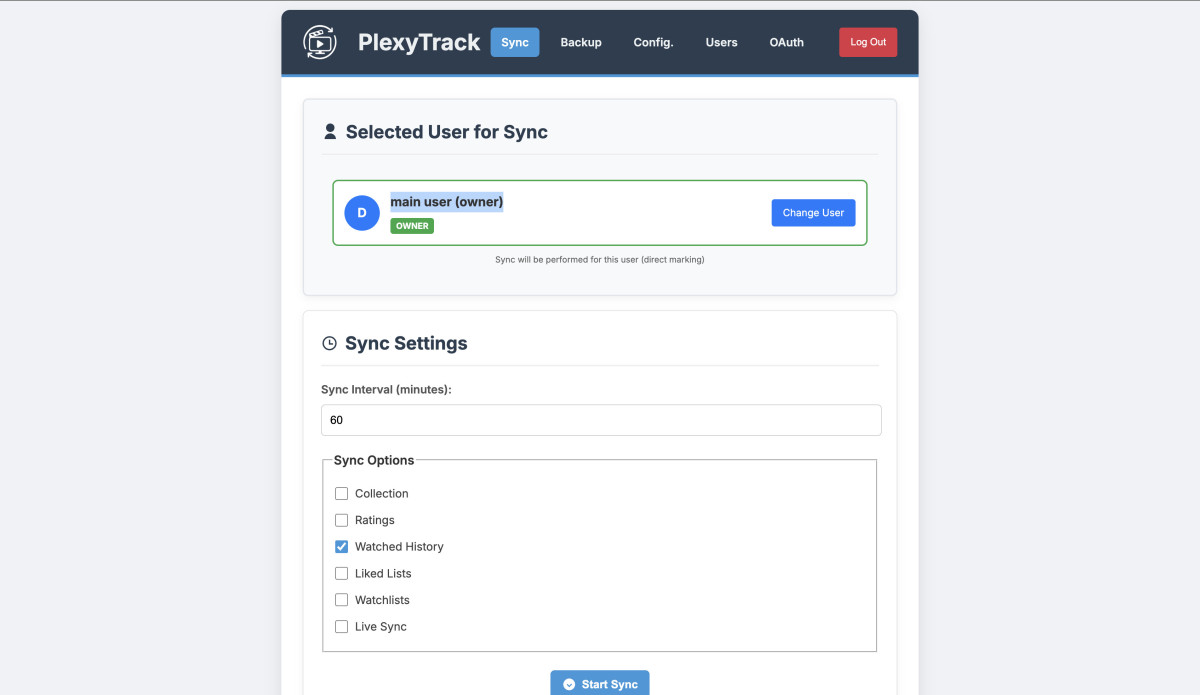
The sync interval is yours to set. The project recommends 60 minutes or more, which keeps things current without hammering the Trakt or Simkl APIs.
The Flask web UI has login, configuration tabs, logs and scheduling, so you can see what ran and when.
Technical Specifications
- 🛠️ Software: PlexyTrack (open source, MIT)
- 🎬 Media server: Plex
- 📊 Trackers: Trakt or Simkl
- 🔁 Syncs: watch history, ratings, watchlists, collections and lists
- ↔️ Direction: two-way, or one-way in either direction
- ⏳ Interval: configurable (60 minutes or more recommended)
- 🖥️ Interface: Flask web UI
- 🔑 Setup: your Trakt or Simkl API client ID and secret, set with ElfBot
Let ElfHosted Handle the Heavy Lifting for PlexyTrack
- ⏱️ It runs continuously, so syncs don’t get skipped because the machine at home went to sleep.
- 🔑 Your API credentials go in through ElfBot, with no config files to edit.
- 🔄 We follow upstream releases and keep your instance current.
Frequently Asked Questions
Trakt or Simkl?
Either. Set the client ID and secret for the service you want with ElfBot, and PlexyTrack syncs Plex with it.
Does it sync both ways?
Yes, by default. You can also limit it to Plex to tracker, or tracker to Plex.
How often does it sync?
On whatever interval you set. The project recommends at least 60 minutes.
Does my Plex server need to be on ElfHosted?
No. PlexyTrack connects to the Plex server you point it at.
Can I back up my Trakt data?
Yes. PlexyTrack can download a backup file with your Trakt history, watchlist and ratings.
PlexyTrack keeps Plex and your tracker telling the same story about what you’ve watched.
Add PlexyTrack to your ElfHosted subscription and stop marking things watched twice.
Only logged in customers who have purchased this product may leave a review.






![YouTarr [Standalone]: illustration](https://store.elfhosted.com/wp-content/uploads/2026/10/youtarr-card-1-300x300.avif)



Reviews
Clear filtersThere are no reviews yet.