



CineSync
$9.00 / month
Free trial: 7 days
Sign-up fee: $1.00
Symlink-based media organiser that keeps your debrid-sourced library perfectly structured for Plex, Jellyfin, and Emby — without moving a single file.
What is CineSync?
CineSync is a lightweight Python tool that creates a clean symlink tree from your debrid-mounted or locally downloaded media. Instead of copying or moving files, it maps them into a tidy Movies / TV folder structure your media server can scrape without confusion.
It pairs naturally with Zurg + rclone debrid mounts and with Plex, Jellyfin, or Emby.
Features
- 🔗 Creates symlinks — no copying, no extra storage used
- 📂 Enforces Movies / TV Shows / Anime folder conventions
- 🔄 Watches for new files and updates the tree automatically
- 🎬 Works with any debrid-mounted filesystem (Real-Debrid, AllDebrid, Debrid-Link)
- 🧩 Compatible with Sonarr, Radarr, Plex, Jellyfin, and Emby
- ⚡ Zero-copy design keeps your debrid quota safe
CineSync in Your Debrid Stack
CineSync fits between your debrid mount and your media server. Zurg exposes your Real-Debrid library as a filesystem; CineSync reads it and builds the symlink tree; Plex or Jellyfin scrapes the tree. Add Radarr / Sonarr to automate downloads and Overseerr for requests from the whole household.
Why ElfHosted?
Running CineSync yourself means managing Python dependencies, keeping watch scripts alive across reboots, and debugging symlink paths whenever your mount point changes. ElfHosted runs CineSync as a persistent, always-on service next to your debrid mount so the symlink tree is always current — no cron jobs, no fragile shell scripts.
Technical Specs
- 💾 Included storage: none (symlinks only — no data stored)
- 🔌 Integrates with: Zurg, rclone, Plex, Jellyfin, Emby, Sonarr, Radarr
- 📋 Requires: a debrid mount (e.g. Zurg + rclone)
FAQ
Does CineSync work without a debrid service?
Yes — it can symlink any local folder structure, but it is most commonly used with debrid mounts.
Will Plex lose watch history if I rebuild the symlinks?
Symlink paths are stable as long as source filenames don't change, so Plex metadata is preserved in normal operation.
1 review for CineSync
Clear filtersOnly logged in customers who have purchased this product may leave a review.











Verified owner will2geek (verified owner) –
Perfect if you have a huge library – this tool helped me clean up almost 75,000 symlinks
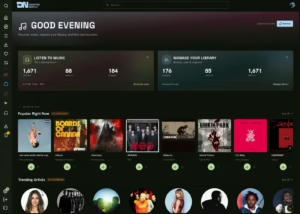
Easy to use, nice dashboard
Options can be a bit unclear