
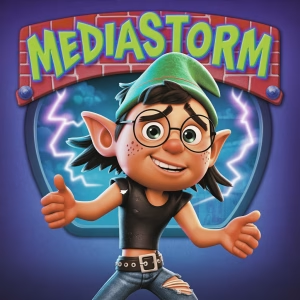
![Hobbit - Personal Media Streamer [4xHD / 2x4K, semi-dedicated] | ElfHosted - Image 1](https://store.elfhosted.com/wp-content/uploads/2025/05/hobbit.avif "hobbit")
![Ranger - Personal Media Streamer [8xHD / 4x4K, semi-dedicated]](https://store.elfhosted.com/wp-content/uploads/2025/05/ranger-150x150.avif)
![Starter - Personal Media Streamer [2xHD / 1x4K, contended]](https://store.elfhosted.com/wp-content/uploads/2025/05/starter-150x150.avif)
Hobbit – Personal Media Streamer [4xHD / 2x4K, semi-dedicated] | ElfHosted
From: $39.00 / month with a 7-day free trial and a $1.00 sign-up fee
A smarter hub for orchestrating and automating your media workflows
Ever feel like you’re spending more time managing your media tools than actually enjoying the outcome? Hobbit is designed to take the headache out of deploying and maintaining your own media infrastructure. It’s a hosted, open-source platform that lets you integrate popular server applications with your choice of cloud storage and third-party services. By centralizing automation, hardware-accelerated transcoding, and interoperability between tools, it streamlines everything from metadata handling to device access. Content sources and libraries are all in your hands—Hobbit just makes the process smoother. Short description for open-source app: Hosted application infrastructure for automated media data management and third-party service integration.
Optionally enhance your setup with our VIP “White-Glove” Onboarding Experience add-on for expert configuration (purchased separately).
For elves who want pixel-perfect personal workflows. Hobbit keeps your streaming setup a fantasy—why did the elf never misplace data? Because he kept it on his ElfDrive! 🧝♂️
Meet Your Media Workflow Sidekick
First things first, this isn’t your average media server. Hobbit is a hosted open-source application built for users who want total control of their personal media environment without wrestling with hardware or network headaches. It connects seamlessly with third-party cloud storage or application services you specify, making it a flexible hub for managing and streaming libraries you already own. All automation, integrations, and workflows are driven by your choices and tools. Think of Hobbit as the technical backbone for your digital media ambitions—ready to adapt to how you work, not the other way around.
Why Choose Hobbit for Your Workflow?
- Boosts efficiency by handling media management and streaming logistics in one place. 🚦
- Reduces setup time with preconfigured integrations for popular cloud and automation tools. 🛠️
- Gives you full control over which external services supply storage or metadata. 💼
- Improves reliability for multi-user or multi-device setups thanks to its semi-dedicated resources. 🔗
- Enables flexible workflows with app automation and interoperability across third-party solutions. 🔄
Product Highlights
Enjoy seamless integration with tools like Jellyfin, Emby, or Plex—no more elf-sized headaches over compatibility.
Supports cloud storage mounting and connects to user-specified providers with robust options for rclone, WebDAV, and more. If elves had clouds, they’d use these too.
Automate your sorting and handling tasks using supported workflow tools such as Radarr, Sonarr, and Seerrbridge—because even elves love a tidy library.
Hardware transcoding includes Intel QuickSync support for up to 4 HD or 2 4K streams at the same time. Elves call that seriously shiny tech.
Wizardry for inviting friends or family: use the (Wizarr) feature to safely share access and manage user permissions—elf-approved for group harmony.
Technical Specifications
- 🧮 CPU: 2 virtual CPUs (semi-dedicated node)
- 💾 RAM: 16 GB allocated
- 🎥 GPU: Hardware transcoding with shared Intel QuickSync
- 🌐 Bandwidth: 256 Mbps per account, unmetered except max outbound
- 🧙♂️ Magic Factor: Elven cloak mode for ultra-stealth admin logins (for fun, not really)
Why ElfHosted Is the Real MVP for Your Media Streamer
- Put maintenance on the shelf: With ElfHosted, updates and routine care are handled for you, so you can focus on enjoying your setup instead of troubleshooting.
- Help’s never out of reach: Friendly support and active monitoring mean you get fast answers and less downtime—no need to go on an epic quest just to sort things out.
- Growing made easy: Effortlessly scale your media workflow and take advantage of managed storage and reliable backups, all without worrying about hardware headaches.
Need Answers? Start Here
How do I connect my own cloud storage to Hobbit?
Simply configure your preferred rclone-compatible storage or WebDAV provider within the app settings. All data comes from sources you authorize.
Which media management software can I use with Hobbit?
You can choose from open-source tools like Jellyfin, Emby, or Plex, with support for their official apps and integrations.
How does hardware transcoding work in Hobbit?
Hobbit utilizes Intel QuickSync GPU resources to efficiently transcode streams you start, supplied by your chosen services.
Can I automate downloads or organize my media?
Yes, Hobbit includes support for workflow automation with Radarr, Sonarr, or Seerrbridge for advanced library management.
How many streams can I run at once?
You can run up to 4 concurrent HD or 2 4K streams. Performance may vary depending on the cloud and service configurations you set up.
Hobbit brings a flexible, technical edge to personal media workflows. Focus on configuration and setup instead of infrastructure hassles so every part of your system feels seamless. Try Hobbit today when you’re ready for software built for reliability, efficiency, and your ideal way to manage user-controlled media tools.
| Media Player | Plex, Emby, Jellyfin |
|---|---|
| Media Automation | Radarr / Sonarr, Seerrbridge, Other |
| Cloud Storage Provider | RealDebrid, TorBox, NzbDAV, Other |
3 reviews for Hobbit – Personal Media Streamer [4xHD / 2x4K, semi-dedicated] | ElfHosted
Clear filtersOnly logged in customers who have purchased this product may leave a review.
Related products

Ranger – Personal Media Streamer [8xHD / 4x4K, semi-dedicated]
Streamline your personal media hub with flexible integration and hardware power
Ever wish your media apps actually talked to each other? Ranger is your go-to toolkit for pulling together all your personal media workflows, wrapped in a reliable, hosted environment. It connects seamlessly with user-supplied platforms like Plex, Jellyfin, or Emby and takes advantage of your own storage or third-party cloud accounts. Ranger’s semi-dedicated hardware handles up to eight high-definition streams or four 4K streams, all while supporting automation tools and robust remote management. Perfect for anyone who wants more control and efficiency without managing bare metal. Short description for a hosted open-source application: Ranger is an open-source, hosted software solution that integrates with user-provided storage and third-party media servers to automate and manage personal media workflows in the cloud.
Optionally enhance your setup with our VIP “White-Glove” Onboarding Experience add-on for expert configuration (purchased separately).

Zurgling – Personal Media Streamer [2xHD / 1x4K, contended, manual]
Connect your media libraries and streamline playback across Plex, Jellyfin, or Emby
Here’s a smarter way to bring your own cloud media storage and playback together. Zurgling is a hosted, open-source application designed for anyone who wants seamless streaming across multiple platforms using their existing storage and third-party accounts. It acts as a flexible software tool to help tie together your preferred media apps and automate updates to your library, so you can manage, sync, and play your files where you like...without the hassle of locked-down hardware or complicated installs. With Zurgling, you stay in control of your media setup every step of the way. Short description for hosted open-source application: Zurgling is software infrastructure that simplifies integration, workflow automation, and playback management between user-supplied storage and third-party streaming platforms.

JellyGoblin – Personal Media Streamer [2xHD / 1x4K, contended]
Effortless streaming infrastructure for your cloud-based media workflows
Let’s be honest: setting up a reliable streaming environment shouldn’t be a hassle. JellyGoblin steps in as a managed, open-source application designed for users who want seamless deployment and efficient operation. Purpose-built for integration with your existing cloud storage and third-party services, it combines the flexibility of Jellyfin with easy connectivity to your other infrastructure. Streamlined management and straightforward setup mean less time troubleshooting and more time focusing on your workflows. Short description: Hosted open-source software that provides streamlined media server infrastructure for integration with external services, supporting up to two HD or one 4K simultaneous streams on shared resources.

JellyGoblin Pro – Personal Media Streamer with TorBox Pro [4xHD / 2x4K, contended]

Nazgul – Personal Media Streamer [16xHD / 8x4K streams, dedicated]
Effortless integration for high-capacity personal media workflows
Right off the bat, Nazgul is what happens when you take open-source flexibility, bundle it with dedicated resources, and make it easy to connect to your favorite tools. Designed for personal media management, it acts as a bridge between your preferred platforms and user-owned storage, supporting up to 16 HD or 8 4K streams at once. This solution is perfect if you want to bring together cloud storage, media server software, and automation tools into one smooth-running, scalable setup—all on your terms, with no bundled media. Short description: An open-source software platform for managing and automating personal media flows by integrating with external storage, media servers, and workflow tools.

Halfling – Personal Media Streamer [16xHD / 8x4K, semi-dedicated]
Flexible app hosting for self-managed media automation and collaboration
Let’s face it, setting up your own media stack across the cloud can be a pain—but it doesn’t have to be. Halfling is a hosted open-source platform designed to make deploying and running your favorite media server apps smoother and more efficient. Built for users who want full control, Halfling lets you integrate storage, automation tools, and streaming servers without managing hardware yourself. Connect your preferred cloud storage, automate library organization, and share access with trusted users while keeping your sources entirely in your own hands. Short description: Hosted open-source software platform for managing, automating, and collaborating on user-supplied media libraries, designed for easy third-party service integration and workflow management.
Optionally enhance your setup with our VIP “White-Glove” Onboarding Experience add-on for expert configuration (purchased separately).

Tubeling [Curated YouTube Collection]
Bring your favorite online videos under your own roof, your way.
Let’s face it, keeping digital collections organized can be a headache. Tubeling [Curated YouTube Collection] is designed as a flexible infrastructure solution that connects seamlessly with your preferred media server and personal cloud storage. As a hosted, open-source application, it simplifies the process of integrating user-selected source feeds into centralized media management platforms like Plex, Jellyfin, or Emby. Tubeling brings everything under your administration, so you stay in full control of what’s managed, when it’s updated, and how it fits into your home tech ecosystem. Short description: Open-source software platform for integrating externally-sourced data feeds with user-managed media server and storage solutions.
![Hobbit - Personal Media Streamer [4xHD / 2x4K, semi-dedicated] | ElfHosted](https://store.elfhosted.com/wp-content/uploads/2025/05/hobbit-300x300.avif)
Verified owner shamr0ck79 (verified owner) –
Great service with top notch customer service. Highly recommend!
Verified owner yukonblonde (verified owner) –
I’d call myself a tinkerer by nature — I’ve already got a system humming away out of my garage, and I know my way around all the bits and pieces it takes to make streaming work. And yet, despite having the know-how to “do it myself,” Hobbit has become my main driver.
Why? Two big reasons: the community and the service quality.
The community here is unlike anything I’ve seen elsewhere. It’s not just about tech support (though that’s rock-solid) — it’s the sense that you’re part of a group of people who genuinely want everyone’s setup to thrive. When you run into a snag, or even just want to optimize something, there’s always someone who’s been there and has a clever solution. That level of shared knowledge is priceless.
And then there’s the service itself. The quality speaks for itself — streams are fast, reliable, and consistently excellent. I’ve tested enough setups over the years to know how rare it is to find something that “just works” day in and day out without endless tinkering. With Hobbit, I don’t need to worry — I just press play and enjoy.
For me, that balance is what makes Hobbit stand out: it’s perfect whether you’re hands-on like me or someone who just wants plug-and-play simplicity. Having the ability to do it myself but still choosing Hobbit as my go-to says a lot. It’s not just about functionality — it’s about trust, community, and reliability.
If you’re on the fence, take it from a lifelong tinkerer: Hobbit is worth every cent.
Fantastic community support with genuine knowledge sharing Rock-solid, reliable streaming quality Great balance of plug-and-play simplicity + advanced tinkering options Transparent, trustworthy team behind it Saves me time and hassle compared to managing everything solo
Occasional learning curve if you dive into the more advanced features You’ll get spoiled — once you’re used to this quality, everything else feels subpar
Verified owner quiet (verified owner) –
You get your moneys worth and then some.
No headache over storage limitations, buffering or updating stacks. Well thought out patching times for all data centers.
Can be a little tricky to setup first time but there are great guides available and of cource ElfFriends over on discord.
Would have been nice if Bazarr was included for the ultimate bundle but its quite easy to get foreign subtitles on your own as well via Plex or Emby.
Low management, automation, good price overall, fantastic community support, daily updates for datacenters
No bazarr, small learning curve